Attack Shark software missing or not working: an alternative for side buttons and macros
Attack Shark mice are light and cheap, so they sell a lot. But the same questions keep coming back on the software side: where is the driver, why doesn't it see my mouse, how do I give the side buttons a job?
Symptoms
- There's no driver for your model on the official site, or the link doesn't open.
- The app opens but can't find the mouse, or settings don't stick and reset after a Windows update.
- The side buttons do nothing in games, or you can't make them do what you want.
Why it happens
In Reddit's mouse community, users describe the driver link for some models disappearing from the official site again and again, and sharing the file among themselves. Some sites that show up for "driver download" searches aren't trustworthy either. If the mouse works in Windows, Windows already sees its buttons; what's missing is only an app to give them jobs.
Free options
- Only download the driver from the brand's official site or the store page you bought it from; don't use unknown "driver" sites.
- You don't need the app for DPI and lighting: the buttons on the top or bottom of the mouse change those inside it.
- If it's wireless, bring the receiver closer with a USB extension cable; most drops and stutters go away.
The fix with HEJİR
- Download and install HEJİR (free). You don't need the Attack Shark app.
- The Mouse page lists the buttons Windows sees; back and forward (the side buttons) are there.
- Click a side button and pick its job: push-to-talk, a media key, another key… The free version has 3 simple assignments.
- Want several steps on one button? Record a macro on the Macros page and put it on the side button (Pro; try it for 3 days, no card).
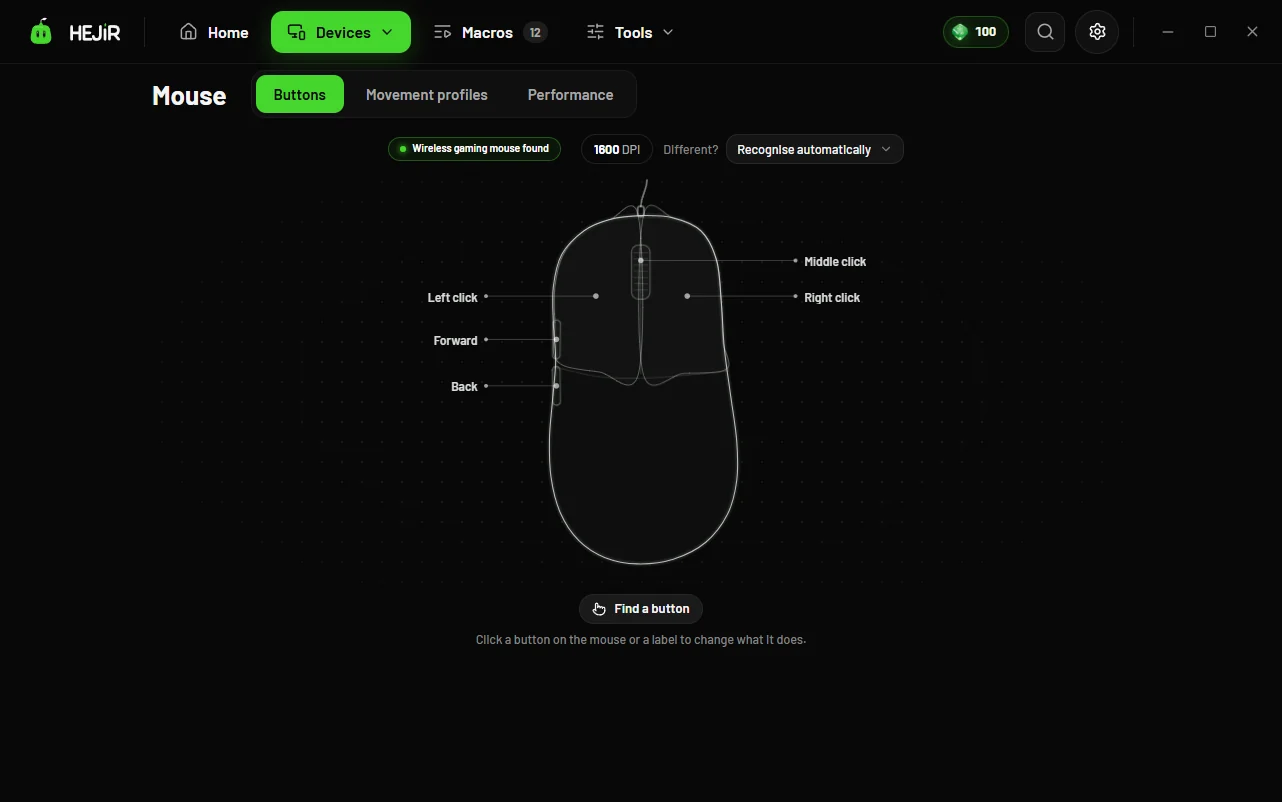
HEJİR uses no brand-specific driver; it reads the button press Windows gets and turns it into the job you chose. So it doesn't matter which brand's app is missing.
Is your Attack Shark model known by name? Search the list →
Good to know
- HEJİR doesn't change the DPI, lighting or polling rate stored inside these brands' mice; use the DPI button on the mouse or the brand's own app for those.
- The free version has 3 simple key assignments across mouse and keyboard; macros, HEJİR Script and per-game profiles are Pro, and you can try them for 3 days with no card.
- A button Windows never sees (special keys that only work through the brand's own driver) won't show up in HEJİR either.
FAQ
Will it mess up the settings saved on the mouse?
No. HEJİR doesn't touch the settings inside the mouse.
Will games think I'm cheating?
HEJİR only does the key jobs you choose; it doesn't touch the game's files or memory. Every game has its own macro rules, though; check them for competitive games.
Does it work on Mac?
No, HEJİR is for Windows.