How to map mouse side buttons to any key (Windows 10 and 11)
Most mice have two side buttons that do nothing but back and forward in the browser. Putting them on an ability in a game, push-to-talk in Discord or next track takes seconds.
Symptoms
- The side buttons do nothing in games.
- Your mouse has no brand and no vendor app.
- Windows settings have no option to change the side buttons.
Why it happens
Windows gives the side buttons only “back” and “forward” and has no setting to change that. Changing them needs either the vendor's app or a program that catches the button and turns it into another key.
Free options
- If your mouse brand has an app, map them there.
- Some games accept the side buttons directly in their key bindings (Mouse 4 / Mouse 5).
The fix with HEJİR
- Install and open HEJİR; a drawing of your mouse appears.
- Click the side button (Back or Forward) in the drawing.
- Choose “Keyboard key” and press the key you want (e.g. F, Ctrl+C). For media, choose “Media”.
- Done; it works at once, there is no save button.
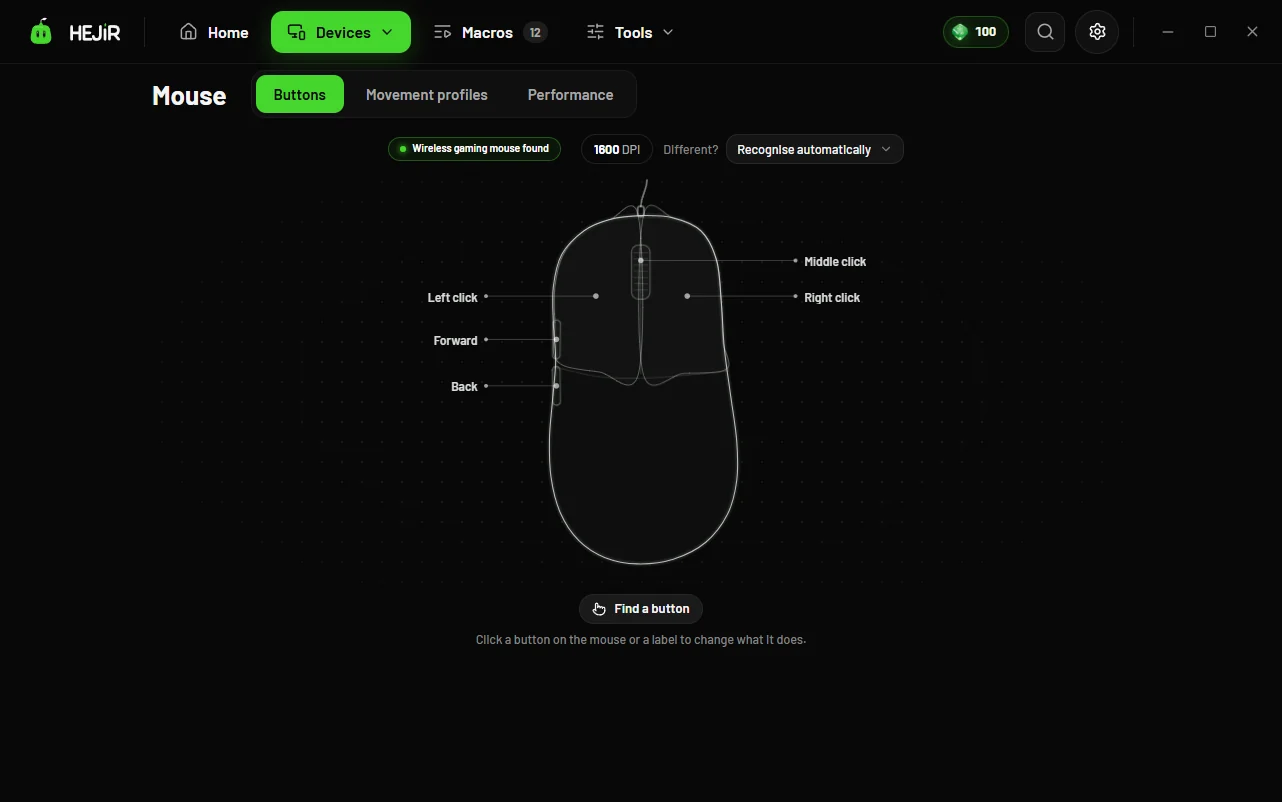
HEJİR sees the side button before Windows does, stops its own job and sends the key you chose instead. On supported mice such as Logitech the mapping can also be written to the mouse's own memory, so it works even with HEJİR closed.
Good to know
- The free tier gives 3 plain assignments across mouse and keyboard (a key or a media key); macros, unlimited assignments and per-game profiles are Pro.
- For programs running as administrator (some game launchers) run HEJİR as administrator too.
FAQ
Does it work on a cheap no-name mouse?
Yes. Any mouse with side buttons works.
Is it cheating in games?
Turning one key into another is not cheating; use macros within each game's rules.
I want it different in one game only.
Per-game profiles are Pro: when the game starts, the mappings switch by themselves.